- Images do not directly boost rankings. They influence user behavior, which influences rankings
- Optimized images improve dwell time, reduce bounce rate, and open up Google Image Search as a separate traffic channel
- Whether images matter depends on page type. Product pages, travel guides, and tutorials need them. Definitions, glossary pages, and simple informational posts generally don’t
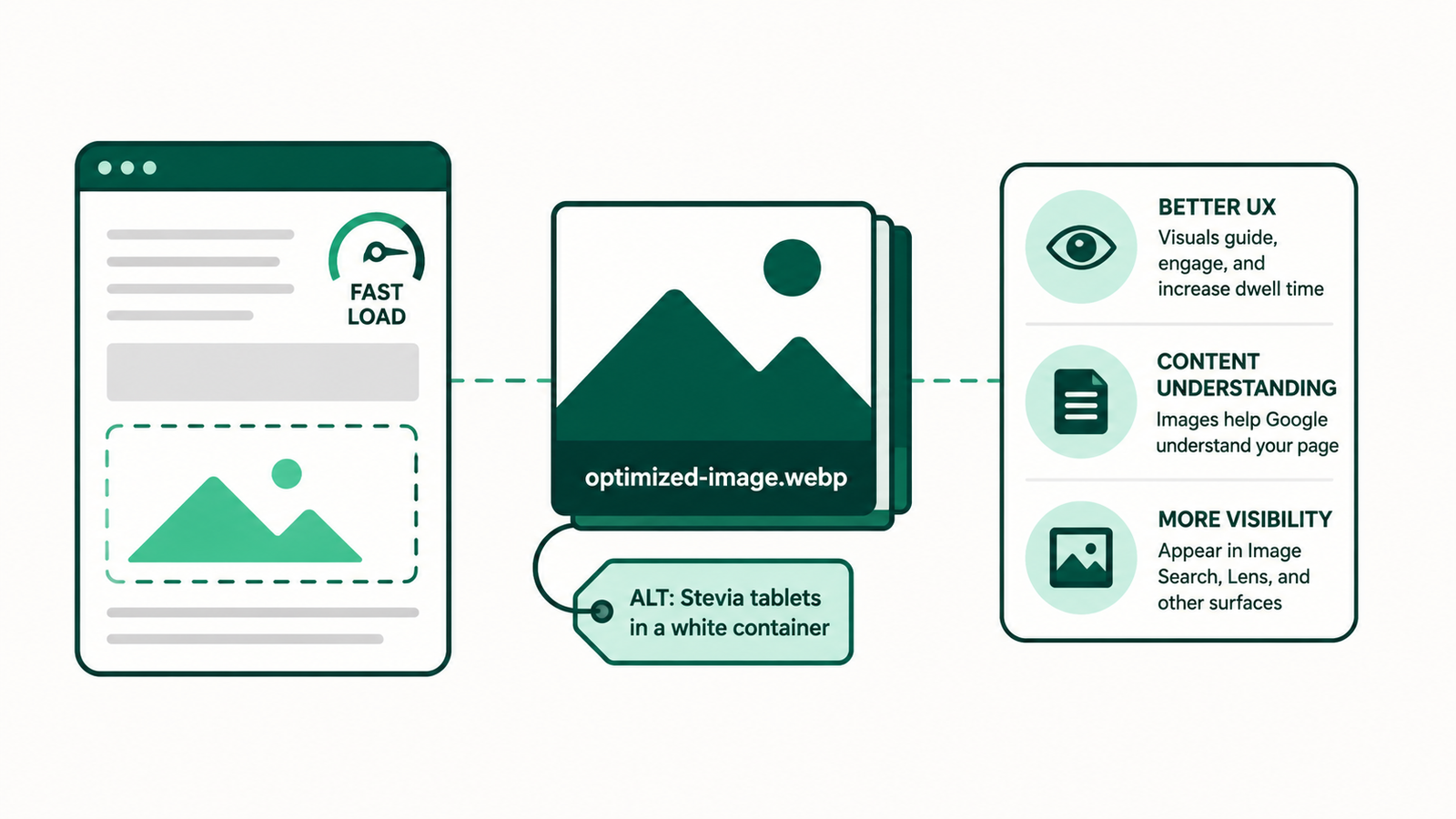
- Filename, alt text, WebP format, and compressed file size are the four non-negotiables for every image you upload
- Stock photos are a last resort. Original images for business sites, AI-generated infographics as an alternative for blogs
- Only add an image where it genuinely helps the user. If removing it wouldn’t hurt the page, remove it
- For old content, images alone won’t recover a declining page. Pair them with fresh data, updated internal links, and a revised meta title
A page ranked in the top 3. Then it dropped to page 2. The content didn’t change. The backlinks didn’t disappear. The only difference was that competitors started adding images and users started bouncing.
I’ve seen this pattern across multiple client sites. Images are one of those SEO factors that seem optional until they’re not. This guide covers what images actually do for rankings, when they help, when they hurt, and how to optimize them so they pull their weight.
What Images Actually Do for SEO (And What They Don’t)
Images do not directly boost rankings. Google does not reward a page for having ten images instead of five. There is no minimum image count that triggers a ranking improvement, and anyone telling you otherwise is oversimplifying.
What images do is influence how users behave on a page. A wall of unbroken text on mobile feels exhausting. Users skim the first few lines, feel overwhelmed, and leave. That exit sends a signal to Google that the page did not satisfy the user. Over time, that signal compounds and rankings slip.
Images reduce that pressure. They give the eye a place to rest, help users decide whether a page is worth their time, and make dense information easier to process. The SEO benefit is a side effect of a better user experience, not a direct cause of ranking improvement.
That said, Google does use images to understand page content, and the mechanisms are more sophisticated than most guides acknowledge. Based on how the algorithm behaves across different content types, Google appears to use images for object and entity recognition, OCR (reading text embedded inside images), contextual alignment with surrounding content, duplicate detection, image search relevance scoring, and broader page quality assessment. This is not speculation. It shows up consistently in how pages perform across different niches and query types.
But here is the part most image SEO guides skip: images are supporting signals, not primary ranking drivers. They can strengthen topical relevance and perceived quality, but they cannot compensate for weak content, low authority, or poor user experience. If your page is already struggling with those fundamentals, adding images will not save it and SEO results will take even longer to show up.
How Images Influence User Behavior Signals
Search engines track behavior. They observe how long someone stays on a page, how far they scroll, whether they go back to search results immediately, and how they interact with the content. These behavioral signals are ranking factors, and images have a direct impact on all of them.
Pages with relevant, well-placed visuals consistently show higher dwell time. When users scroll past an image that supports what they just read, they are more likely to keep going. That extended scroll depth tells Google the page is delivering value. Pages without visual breaks, especially on mobile, tend to lose users early, which drags down average engagement and pulls rankings with it.
Images also increase the likelihood of social shares and saves. When someone shares a page because of a strong visual, that referral traffic and any resulting backlinks feed back into the site’s authority. It is not a dramatic effect, but over time it compounds.
Whether images matter at all depends heavily on the query type and page type. A product page almost always requires images because users are making a purchase decision and cannot physically see or touch the product. A travel guide without visuals of the destinations it covers is asking users to imagine places they came to the page specifically to see.
On the other hand, a simple informational blog post answering a factual question can rank and perform perfectly well with minimal or no images. The query intent is the deciding factor, not some universal rule about image counts.
Image Search as a Separate Traffic Channel
Image search is a traffic channel most site owners ignore completely, and that gap is worth paying attention to.
I worked with an ecommerce client selling stevia sugar-free tablets. During competitor analysis, I noticed that every competing product image was poorly optimized. No descriptive filenames, no alt text, just default camera file names uploaded and forgotten.
I made sure our product image was clear, high quality at 1500×1500 pixels, named properly before uploading, and had accurate alt text. That image is now ranking at position 2 in Google Image Search and driving 145 visits per month to the product page.
That is a small number on its own, but it is consistent traffic coming from a channel competitors were not even trying to compete in.
For ecommerce sites this opportunity is especially significant. A product image with a descriptive filename and accurate alt text can surface in image results and bring in buyers who are already in a visual discovery mindset. High-resolution photos, lifestyle shots, and close-ups all create more indexable surface area for your products to appear.
Beyond Image Search, properly optimized images can appear in Google Lens results, featured snippets, image packs, and visual stories. One well-optimized page can occupy multiple positions across different Google surfaces simultaneously. Submitting an image sitemap helps Google find and index your images faster, which is worth doing for any site where visuals carry significant content value.
I don’t actively track image search performance as a standalone metric in my day-to-day SEO work. I focus on keyword density, backlinks to the page, inbound internal links, and overall topical relevance.
Image traffic shows up as a byproduct of good optimization, not something I chase separately. The stevia example was a deliberate move, but most of the time image search traffic is a bonus rather than a target.
When Images Hurt SEO Instead of Helping
Adding images without a strategy causes real damage. An unoptimized image can slow a page significantly, and page speed is a direct ranking factor.
The most common problem is file size. Full-resolution images uploaded without compression can add several megabytes to a page. On mobile connections, that translates to a page that takes four or five seconds to load. Most users leave before that happens.
Large images also affect Core Web Vitals. The Largest Contentful Paint metric, which measures how long it takes for the main visible element to load, is often tied to a hero image or the first large visual on the page. If that image is heavy and unoptimized, LCP suffers, which directly affects how Google scores the page experience.
Irrelevant images create a different problem. A generic stock photo with no connection to the content adds visual noise, pushes important content further down the page, and contributes nothing to topical relevance.
For business websites I only recommend original images. Stock photos are acceptable in blog posts if nothing better is available, but they should be treated as a last resort. AI-generated infographics are a better alternative when original photography is not an option because they can be made specific to the content rather than generic by nature.
If you are on WordPress, converting images to WebP is straightforward. There are hundreds of plugins that handle it automatically. On Shopify, convert images before uploading since the platform does not handle bulk conversion the same way. Either way, this is not a complicated fix.
How to Optimize Images So They Actually Work
File Names and Alt Text
The filename is the first thing search engines read about an image. “IMG_2025.jpg” tells Google nothing. “stevia-sugar-free-tablets-natural-sweetener.jpg” tells Google exactly what the image shows and connects it to the surrounding content. Renaming files before uploading takes seconds and is one of the simplest wins in image SEO.
Alt text serves two purposes. It helps visually impaired users understand what an image shows, and it gives search engines additional context about the page’s topic, which supports the keywords you’re targeting on that page. Good alt text describes what is actually in the image. “Stevia tablets in a white container on a wooden surface” is correct. “Buy best sugar-free tablets online” is keyword stuffing that helps no one.
I built a prompt after testing different approaches across client projects that I now use consistently for image naming and alt text. You can use it the same way:
Prompt: Let’s do some image SEO. I will provide you some images and you will give me alt text and file names for them.
For writing image alt text: Be descriptive and specific. Clearly describe the image content and context. Avoid redundant phrases like “image of” or “picture of.” Keep it concise, under 125 characters. Include relevant keywords naturally where appropriate but avoid keyword stuffing. Relate the alt text to the surrounding content for better relevance. Use an empty alt attribute for purely decorative images. Review for spelling errors.
For naming image files: Clearly describe the image in the file name. Include relevant keywords. Separate words with hyphens, not underscores or spaces. Keep file names under 60 characters. Avoid special characters or punctuation.”
Captions are worth adding when they provide context the image alone does not convey. They get read more often than body text, which means they contribute to both user understanding and search engine context. Not every image needs one, but skipping them entirely is a missed opportunity on pages where the visual needs explanation.
Format, Compression, and Page Speed
WebP is the format to use. It produces smaller file sizes than JPEG or PNG while maintaining comparable quality. On WordPress, a plugin handles the conversion automatically. On Shopify, convert before uploading.
Compress images before uploading. Tools like TinyPNG or Squoosh reduce file size without visible quality loss. A target of 40 to 150 KB per image is a reasonable range for most blog and service page content. For product images I prefer 1500×1500 pixels at high quality since buyers are zooming in to examine detail, but even those should be compressed before upload.
Lazy loading tells the browser to load images only when they scroll into view, keeping initial load times fast. The exception is above-the-fold images, which should load immediately. Applying lazy loading to a hero image delays LCP and creates a poor first impression for both users and search engines.
Image Sitemaps
An image sitemap lists all the images on your site so search engines can find and index them efficiently. For text-heavy blogs this matters less. For ecommerce stores, photography portfolios, or any site where images carry significant content value, submitting an image sitemap through Google Search Console is a practical step that speeds up indexation and improves visibility in image results.
How Many Images Does a Page Actually Need?
There is no rule like “one image per 250 words” that holds up across different content types and niches. Only add images where they provide genuine value to the user. That is the only standard worth following.
The real question is whether each image is doing something useful. Is it showing a landmark a traveler is trying to visualize? Is it breaking up a section that would otherwise feel exhausting to read on mobile? Is it helping a user scan and make a faster decision? If yes, it belongs. If it is decorative filler, it is probably slowing the page down for no reason.
Query intent matters more than any benchmark. A product page almost always needs multiple images because the image is the primary deciding factor for a buyer. A travel guide without location visuals is a missed opportunity because users came specifically to see the places. But for informational queries where users want a quick factual answer, images often make very little difference at all. Definitions, glossary pages, code documentation, basic troubleshooting guides, calculations, and short conceptual explanations tend to perform based on accuracy, clarity, and how quickly the page satisfies intent rather than how many visuals it contains. Google seems to care very little about image presence on these page types.
I recommend auditing each image the same way you would audit a paragraph. If you removed it, would the page be worse for the user? If not, remove it.
Should You Add Images to Old Content?
Yes, but not in isolation. When I update older content that has declining impressions and clicks, images are one part of a broader refresh that also includes adding fresh data, updating internal links, adding more inbound internal links from other pages, and revisiting the meta title. Images alone rarely move the needle on a page that has deeper issues.
The right posts to prioritize are ones that show declining impressions and clicks in Google Search Console’s Performance tab but were driving solid traffic before. These are pages that Google already considers relevant but is gradually deprioritizing, often because fresher or better-optimized competitors have entered the space. A meaningful update, not just a date change, gives Google a reason to re-crawl and reassess the page.
Adding images to those updates improves engagement metrics on the refreshed page, which supports the re-ranking process. But the image addition only matters if the rest of the update is solid. A page with outdated content and weak internal linking will not recover just because you added three new photos.
Frequently Asked Questions
Can adding more pictures increase SEO if they are not optimized?
Unoptimized images slow your page and reduce engagement, which hurts SEO rather than helping it. Optimization is what makes images an asset. Without it, more images usually means more problems.
Do images directly affect Google rankings?
Not directly. Images influence user behavior, and user behavior influences rankings. They also help Google understand page context through filenames, alt text, and surrounding content. The relationship is indirect but consistent enough that ignoring image optimization has real consequences.
How many images should a blog post have?
Only as many as genuinely improve the user experience. There is no fixed ratio that applies across all content types. Add images where they help users understand, stay, or decide faster. Skip them where they add nothing.
Should I use original photos or stock images?
Original photos perform better and are the only option I recommend for business websites. For blogs, stock images are acceptable when nothing better is available, but AI-generated infographics are a stronger alternative because they can be tailored specifically to the content. And unlike purely AI-written content, they don’t carry the same quality risks when used correctly.
Can images hurt SEO?
Yes. Large uncompressed files, irrelevant visuals, and excessive image counts all damage page performance and user experience. The goal is always quality and relevance over quantity.
What is the most important technical factor for image SEO?
File size and format. Compressing images and converting to WebP will have the most immediate impact on page speed and Core Web Vitals, both of which directly affect rankings.